Grab TestDisk
Free partition repair & drive recovery
TestDisk software logo

TestDisk

Free partition recovery & disk repair utility — restore lost volumes, fix boot sectors

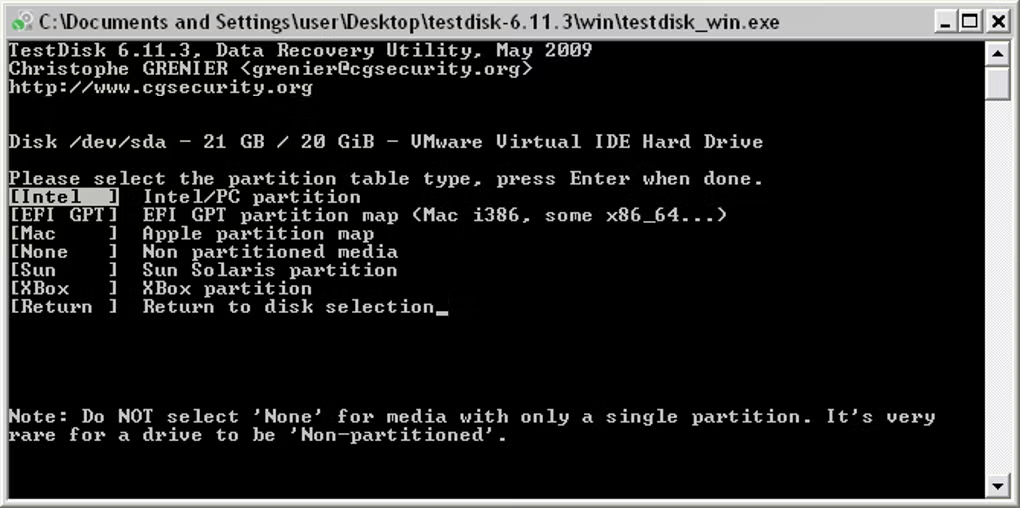
Primary workspace of the storage recovery program

Start Recovering

Latest Build

Gratis · Runs anywhere · Works on every OS

TestDisk is a no-cost, open-source solution engineered to help you recover vanished partitions and revive drives that fail to boot. It reconstructs partition tables, regenerates FAT and NTFS boot sectors, and can undelete files on supported filesystems. Turn to it whenever faulty software, malicious attacks, or human error have damaged or wiped your partition layout.

What It Does

See why TestDisk remains a trusted choice for partition recovery and disk repair.

Partition Table Restoration:

  • Rebuild damaged partition tables and retrieve erased partitions so your information becomes reachable once more.
  • Inspect drive geometry, recognize partition table format, and hunt for missing or compromised structures.
  • Regain entry to storage devices where accidental repartitioning or table corruption has concealed your files.

Boot Sector Repair:

  • Regenerate NTFS boot records and retrieve FAT12/FAT16/FAT32 boot sectors from existing backups when present.
  • Mend FAT allocation tables and repair startup structures to render unbootable drives operational again.
  • Remediate harm inflicted by defective programs, specific malware strains, or unintentional overwrites.

File Recovery & Duplication:

  • Resurrect deleted files from FAT, exFAT, NTFS, and ext2 file systems.
  • Duplicate files from erased or compromised partitions whenever the underlying file system remains mostly readable.
  • Leverage the Advanced menu to retrieve files prior to executing deeper repairs that could overwrite existing data.

Zero-Cost & Standalone:

  • Distributed under the GNU GPL license; source code is open for inspection and verification.
  • No setup necessary — execute directly from a directory or flash drive for secure recovery operations.
  • Multi-platform builds for Windows, macOS, and Linux tailored for IT professionals and power users.

Safety Tips

Before you run TestDisk, stop all write activity on the affected drive to avoid overwriting lost data. Launch the utility from a different storage device or boot from removable media when restoring the primary system disk.

Supported partition table formats

Intel (MBR)
GPT
Mac partition map
BSD disklabel
Sun Solaris

Typical TestDisk workflow

Create log → Select disk → Choose partition table type
→ Analyze → Quick Search / Deeper Search
→ Write partition table (when correct structure found)
→ Reboot or mount to verify

Obtain TestDisk exclusively from the official project or reputable repositories. Authenticate package integrity whenever feasible and consult the documentation matching your partition table format and file system.

Screenshots

Tap a thumbnail to enlarge, then use arrow keys to browse: